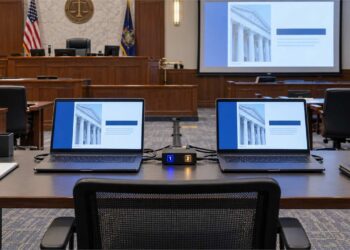



What Is Modern Deposition Technology?
Modern deposition technology combines real-time transcription, synchronized video testimony, digital exhibits, remote conferencing platforms, and trial presentation software into an integrated litigation workflow. These tools allow attorneys to prepare cases more efficiently, preserve testimony visually, manage exhibits digitally, and seamlessly use deposition content later at trial, mediation, or arbitration.
The legal landscape is evolving, and depositions are no exception. Gone are the days when a court reporter showed up with a steno machine and a stack of exhibits. Today’s depositions are increasingly driven by technology—and lawyers who embrace these tools gain a strategic advantage.
Technology in depositions has transformed the way lawyers conduct and prepare for legal proceedings. From real-time transcription and remote access to synced video testimony and digital exhibit handling, today’s depositions look vastly different from just a decade ago. This blog explores the essential tools and trends lawyers must understand to stay ahead in modern litigation.
Many organizations and law schools have been on the forefront of introducing these technologies to their lawyers and/or law students, such as the LLM in Trial Advocacy at Temple University.
For additional educational resources on courtroom technology, synchronized video testimony, trial presentation systems, and deposition strategy, visit the Philly Legal News Technology & Depositions Hub
In this post, we explore how technology and depositions intersect, and what attorneys must know to stay competitive and prepared.
Key Takeaways
- Technology has fundamentally changed modern depositions. Real-time transcription, synced video, and digital exhibits now play a central role in litigation strategy.
- Video depositions capture more than words. Tone, demeanor, pacing, and body language can become powerful trial tools.
- Digital exhibits streamline organization and presentation. Proper file optimization and naming conventions improve deposition efficiency.
- Remote depositions are now standard practice. Lawyers must prepare for bandwidth, lighting, audio, and multi-screen workflows.
- Trial technology creates long-term litigation value. Deposition testimony can later be integrated directly into trial presentation software.
- Strategic video clips can strengthen witness examinations. Synced testimony and annotated exhibits can reinforce key facts and expose inconsistencies.
1. Real-Time Reporting: Speed Meets Accuracy
Real-time transcription allows attorneys to follow the deposition as it unfolds—word for word, live on screen. Whether you’re in the same room or attending remotely, real-time feeds enhance strategic insight and provide immediate access to the transcript.
Benefits include:
-
- Faster issue spotting
-
- Instant annotations
-
- Seamless remote participation
-
- Greater accessibility for clients and co-counsel
Real-time reporting isn’t just efficient—it’s a game-changer for litigation teams working under pressure.
2. Video Depositions: More Than Just a Backup
Video depositions offer far more than redundancy—they capture tone, body language, and demeanor, all of which can impact a jury or settlement negotiations.
Use cases:
-
- Preserving testimony from unavailable witnesses
-
- Supporting impeachment at trial
-
- Creating impactful video clips for mediation or jury presentation
With high-definition cameras and synced transcripts, today’s deposition videos can be edited and displayed with trial presentation software like TrialDirector or TrialPad.
3. Exhibit Management: Going Digital
Gone are the stacks of banker’s boxes. Now, exhibits can be preloaded and shared securely using digital exhibit platforms.
Digital exhibit features:
-
- Mark and share exhibits in real time
-
- Zoom in for detail during questioning
-
- Timestamped entries for accurate reference
-
- Integrated with video or transcript record
This streamlines preparation and improves organization during the deposition and at trial.
📁 Creating and Managing Digital Exhibits
Modern depositions increasingly rely on digital exhibits, which streamline preparation, presentation, and storage. Attorneys can create digital exhibits by scanning physical documents or directly importing native digital files such as PDFs, JPEGs, Word documents, or Excel spreadsheets. It’s essential to optimize these files for deposition use: images should be saved as compressed JPGs or PDFs to avoid lag during screen sharing or playback. Oversized files—especially high-resolution images—can cause frustrating delays when presenting or switching between exhibits in real-time. Keeping digital exhibits well-organized, properly named, and file-size optimized ensures a smooth experience whether presenting remotely, sharing with opposing counsel, or integrating into synchronized video playback.
✅ Checklist for Preparing Digital Exhibits
📄 File Type & Format
-
- Scan physical exhibits to PDF or JPEG formats.
-
- Use searchable PDFs (OCR) when possible.
-
- Keep file formats simple: PDF, JPG, PNG, DOCX, XLSX.
📏 File Size Optimization
-
- Compress images to under 1MB when possible.
-
- Avoid ultra-high-resolution photos unless necessary.
-
- Test load time on the actual device or presentation platform.
🗂 Organization & Naming
-
- Use a clear naming convention (e.g., Exhibit_1_Photo.jpg, Exhibit_A_Email.pdf).
-
- Number files in the expected order of use.
-
- Create a master folder for each deposition session.
🔒 Integrity & Security
-
- Ensure files are locked or read-only if needed.
-
- Verify there are no hidden comments, metadata, or redactions missed.
🎯 Presentation Ready
-
- Test each file in your presentation software (e.g., TrialDirector, TrialPad, Zoom share).
-
- Confirm file is visible and legible when screen-shared.
-
- Run through the exhibit list with your tech or paralegal team pre-depo.
💬 Backup Plan
-
- Keep a backup copy on a thumb drive or cloud drive.
-
- Have printed copies available if tech fails.
4. Remote Depositions: Location Doesn’t Matter Anymore
Thanks to platforms like Zoom, remote depositions are now standard. With proper tech and bandwidth, attorneys, court reporters, and witnesses can participate from anywhere in the world.
Checklist for remote readiness:
-
- Secure internet connection
-
- Dual monitors (one for transcript, one for exhibits/video)
-
- Noise-canceling headset
-
- Clear camera placement and lighting
Want a smooth remote experience? Work with vendors familiar with litigation-grade setups to avoid delays and tech hiccups.
5. Trial Technology Integration: The Real Payoff
The best part? Everything captured during the deposition—video, transcript, exhibits—can be used seamlessly at trial. That’s where trial technology delivers real value.
Trial integration tools allow litigators and legal teams to:
-
- Highlight transcript passages on screen for impeachment or emphasis
-
- Sync video clips with corresponding lines of transcript
-
- Display digital exhibits with annotations or zoom features
-
- Maintain a clear and chronological case timeline
-
- Play powerful, clipped deposition excerpts during trial or arbitration
But it doesn’t stop there.
Modern trial presentation software like TrialDirector, TrialPad, and Sanction lets attorneys curate key deposition moments in a way that enhances witness examination and storytelling. Whether it’s an admission caught on video, a diagram marked by a deponent, or a document highlighted during testimony, these assets can be queued and played on demand. Exhibits can be called up instantly, annotated in real time, and then layered over video or transcript clips to reinforce key points to the jury or judge.
This is especially useful in bench trials and arbitrations, where decision-makers appreciate focused, streamlined presentations. When used strategically, the same deposition clips can be played during opening statements, recalled in cross-examination, and used again in closing arguments, reinforcing credibility or highlighting inconsistencies.
Ultimately, trial technology allows attorneys to deliver a visually engaging and consistent narrative. It ensures that the deposition isn’t just a discovery tool—but a critical, reusable asset in the courtroom. This efficiency not only saves time but can significantly impact how evidence is absorbed and remembered by a jury.
📽️ Using Video Clips Strategically in Depositions and Trial
One of the most powerful uses of technology in depositions is the strategic playback of video clips from prior witness testimony. These clips—especially when synced with exhibits—can be used during the depositions of other witnesses or presented at trial. For example, a prior witness may annotate a diagram during their deposition, and a video clip of that annotated exhibit can later be shown to another deponent. The questioning attorney can then ask, “Do you agree with this depiction of the scene?” or “Is this how the incident occurred from your perspective?” This technique not only refreshes recollection but can also highlight inconsistencies or confirm key facts across multiple testimonies. The integration of synchronized video and digital exhibits elevates the strategic use of depositions and adds clarity for judges and juries alike.
Related Technology & Trial Presentation Resources
- Silent Advocacy Trial Law Hub
- Technology & Depositions Hub
- Temple University LL.M. in Trial Advocacy Program
- Federation of Defense & Corporate Counsel (FDCC)
- International Association of Defense Counsel (IADC)
Final Thoughts: Stay Ahead or Fall Behind
Technology and depositions go hand-in-hand in modern litigation. Whether it’s real-time feeds, video sync, or cloud-based exhibit handling, the tools available today can dramatically impact your outcomes.
If you’re not leveraging tech in your depositions, you’re leaving efficiency—and possibly persuasive power—on the table.
Frequently Asked Questions
What is a synchronized video deposition?
A synchronized video deposition links video testimony directly to the transcript so attorneys can instantly jump to specific testimony lines during trial preparation or courtroom presentation.
Why are digital exhibits important in depositions?
Digital exhibits improve organization, allow real-time annotation, reduce paper handling, and integrate directly with trial presentation software.
Can deposition video clips be used at trial?
Yes. Video deposition clips are frequently used during impeachment, witness examinations, arbitration, mediation, and trial presentation.
What equipment is useful for remote depositions?
Dual monitors, high-speed internet, quality microphones, proper lighting, and litigation-ready exhibit software all improve remote deposition workflows.
About the Author — Thomas G. Oakes
Thomas G. Oakes is a 45+ year legal professional in Philadelphia and the founder/editor of PhillyLegalNews.com and PhillyLegalConnect.com. He served for many years as an official court reporter in the Philadelphia Court of Common Pleas and the U.S. District Court for the Eastern District of Pennsylvania, and has worked as a freelance court reporter in state and federal courts for decades.
He holds the highest national court reporter certifications through rigorous testing, including credentials from the National Court Reporters Association and multiple state associations, including Pennsylvania, New Jersey, Delaware, and Maryland. Tom was also the principal of Thomas G. Oakes Associates, a Philadelphia-based litigation support and trial technology firm serving attorneys nationwide for more than 33 years.
In addition to courtroom work, Tom is a nationally recognized leader in trial technology and a Certified TrialDirector Trainer. He has trained lawyers, judges, law clerks, paralegals, and trial teams in courtroom presentation and technology, and taught in Temple University’s LL.M. in Trial Advocacy program (with special recognition).
He has lectured at bar associations throughout Pennsylvania and nationally for organizations including the Federation of Defense and Corporate Counsel (FDCC), the International Association of Defense Counsel (IADC), and the American Bar Association (ABA). He is also a co-founder of the FDCC Evolve program and an instructor in the FDCC Deposition Boot Camp.
Award: Temple University LL.M. in Trial Advocacy — 2013 Faculty Award for “Art of Technology in the Courtroom.”
Disclaimer
This article is for general informational and educational purposes only and does not constitute legal advice. Reading this content does not create an attorney–client relationship. If you need legal advice about a specific situation, consult a qualified attorney in the appropriate jurisdiction.