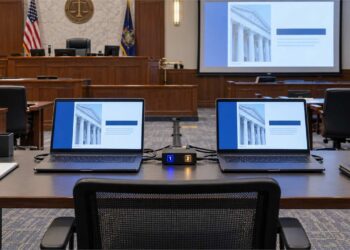



This blog explores the David vs. Goliath Effect in the courtroom—how modern litigation technology allows solo practitioners and smaller firms to level the playing field.
In the courtroom, as in the ancient story, not every fight is fair. Sometimes you’re David—facing off against a fully equipped Goliath. On the other side: deep pockets, a full team of attorneys, dedicated experts for liability, damages, evidentiary issues, and venue battles. You’re outnumbered and out-funded.
But in today’s legal landscape, you don’t have to be outgunned. With the right litigation technology, you can level the playing field—and sometimes, even tilt it in your favor.
Know When to Use Your Tools—and When Not To
Technology is a powerful equalizer, but it’s not automatic. Not every case is a Goliath. You don’t need to build a multimedia war room for a case that could settle after a pretrial conference.
The key is discernment.
Knowing when to use tools like timelines and presentation software, and when to keep things lean and simple, is part of the strategy. Wielding tech without purpose is noise. But wielding it with intent? That’s where you win.
Timelines: Connecting the Dots
In larger or more complex cases, timelines are more than helpful—they’re essential. They act as teaching tools, providing a structured, visual way to connect the dots for a judge or jury. They show:
- The sequence of critical events
- How pieces of evidence relate to one another
- What the witness knew—and when
- Where gaps or inconsistencies appear
Tools like TrialLine or TrialPad’s new timeline module make it easy to present facts dynamically and logically. These aren’t just visuals—they’re anchors for your case narrative. Timelines help you thread the needle between raw data and a compelling story.
Using TrialPad and TrialDirector Side by Side in a Live Case Demo
I had the opportunity to present “The High Tech Trial” alongside members of the International Association of Defense Counsel (IADC), where we demonstrated how attorneys and trial technicians can work in tandem—or independently—using modern courtroom technology. In that presentation, attorney Nancy Erfle, Esquire, used an iPad to present portions of the case herself using TrialPad, seamlessly taking control of exhibits and calling out key sections with confidence and clarity. At other points, she transitioned the presentation to me, where I managed the same case using TrialDirector from the trial tech “hot seat.” This live switch not only demonstrated the flexibility of today’s litigation tools, but also showcased how attorneys can either maintain control at the podium or rely on a dedicated technician to manage a more complex, high-speed presentation. Whether you’re flying solo or coordinating with a trial tech, the tools adapt to your strategy. It’s not about replacing skill—it’s about enhancing it with the right technology at the right moment.
TrialPad: Clarity at Your Fingertips
When it’s time to present your case in the courtroom, TrialPad provides a clean, intuitive platform to display documents, annotate exhibits, and call out key portions of testimony. Whether you’re working from an iPad at counsel table or in front of a projector, TrialPad offers:
- On-the-fly highlighting and annotation
- Seamless callouts for zooming into text or visuals
- Easy comparison of documents or photos side-by-side
- The ability to switch from one piece of evidence to the next without disruption
For solo practitioners or small firms, TrialPad is the smart slingshot—agile, powerful, and perfect for high-impact presentations without needing a full tech team.
TrialDirector: Precision for High-Stakes Litigation
For larger cases or trials involving massive amounts of data, synchronized video depositions, or real-time exhibit callouts, TrialDirector remains the gold standard. Its advanced features allow you to:
- Sync deposition video to transcripts
- Preload multiple versions of exhibits and demonstratives
- Integrate seamlessly with court reporter feeds
- Queue up your next exhibit while presenting another
- Maintain full control during unpredictable cross-examinations
TrialDirector is built for the war room. It’s the tool of choice when Goliath shows up with every resource—and you intend to meet force with strategy.
Goliath’s Size Can Backfire
Jurors aren’t blind. When one side enters the courtroom with multiple lawyers at the table, paralegals buzzing behind them, and high-end tech running from four different monitors, it doesn’t always look impressive—it can look excessive.
That’s when the “Goliath effect” becomes real.
The jury may start to see the defense—or the larger firm—as the giant trying to overwhelm the smaller party. They may read the imbalance as unfair. Overproduction can send the wrong message. What looks like confidence may come off as intimidation or even bullying.
And when that happens, David starts to look a lot more relatable.
This is why using the right amount of technology—not too much, not too little—is critical. Precision beats excess. Thoughtful use of tools like TrialPad, TrialDirector, and timelines lets you present with clarity and purpose—not showmanship.
David Didn’t Walk into a Swordfight with a Stick
Litigation isn’t about size—it’s about preparation. When the other side comes to court with a fleet of attorneys and high-powered resources, you need more than instinct and experience. You need tools that match the moment.
You wouldn’t bring a knife to a gunfight. You shouldn’t bring a paper binder to a tech-powered courtroom.
By embracing timelines, presentation software, and smart strategy, today’s Davids can win more than just moral victories—they can win real ones.
Disclaimer:
The content of this blog is for informational purposes only and does not constitute legal advice, recommendation, or endorsement of any specific software or technology. Readers should consult their own legal counsel or litigation support professionals when determining what tools or strategies are appropriate for their specific case. References to TrialPad, TrialLine, or TrialDirector are for illustrative purposes only and do not imply affiliation or sponsorship. Every case is unique, and decisions regarding courtroom presentation and technology use should be made based on the facts and needs of the individual matter.